
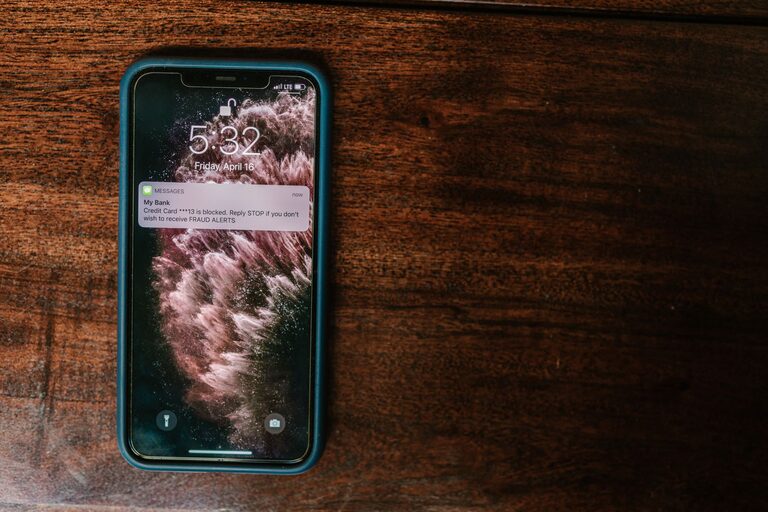
In today’s connected world, notifications have become a constant presence in our daily lives. From emails and social media alerts to app reminders and news updates, our devices often vie for our attention. While notifications can be helpful for staying informed and organized, they can also lead to distractions, stress, and burnout if not managed properly. Setting boundaries with notifications is an essential step toward reclaiming focus and achieving a healthier balance between digital engagement and personal time.
In this post, we’ll explore practical tips to help you set clear boundaries with notifications, reduce digital overwhelm, and create a more mindful relationship with your devices.
Why Setting Boundaries with Notifications Matters
Notifications are designed to capture your attention. However, when notifications come in too frequently or at inconvenient times, they can disrupt your concentration, interrupt important tasks, and negatively impact your mental well-being. Constant alerts can also increase stress and reduce productivity by encouraging multitasking or frequent task switching.
By setting boundaries, you gain control over when and how you receive notifications, helping you stay focused, reduce anxiety, and enjoy more uninterrupted time. This can lead to better work performance, improved relationships, and a greater sense of calm.
Tips for Setting Effective Notification Boundaries
1. Audit Your Notifications
Start by reviewing all the apps and services that send you notifications. Identify which ones are essential and which might be optional or unnecessary. Consider:
– Which notifications are truly helpful?
– Which could be causing unnecessary interruptions?
– Are there apps that send notifications but you rarely engage with them?
Once you have a clear picture, disable or limit notifications for non-essential apps.
2. Customize Notification Settings
Most devices and apps allow you to customize notification preferences. Take advantage of these settings to fine-tune alerts. For example:
– Turn off sound or vibrations for non-urgent notifications.
– Set notifications to appear quietly without popping up on your screen.
– Choose to receive notifications only when the app is open.
Customizing notifications helps reduce unnecessary noise and interruptions.
3. Use Do Not Disturb Mode
“Do Not Disturb” (DND) mode is a valuable tool for creating focused time or restful periods. You can schedule DND to activate during:
– Work hours when you need deep focus.
– Evenings or nights to promote better sleep.
– Meetings or social occasions where interruptions are unwelcome.
Most smartphones allow you to whitelist important contacts or apps while DND is on, so you don’t miss critical alerts.
4. Establish Notification-Free Times
Set specific times of the day when you do not check or receive notifications. This practice supports mindfulness and prevents interruptions during important personal or work periods. Tips include:
– Avoid checking notifications first thing in the morning and right before bed.
– Dedicate blocks of time for focused work or family activities without digital interruptions.
– Consider using airplane mode or turning off devices during these periods.
5. Prioritize Notifications with “Focus” Features
Many modern devices include “Focus” or “Priority” modes that allow you to filter notifications based on your current activity or location. For example:
– A “Work Focus” mode that only allows work-related notifications.
– A “Personal Focus” that limits notifications to friends and family.
– A “Driving Focus” that minimizes distractions while on the road.
Using these modes helps balance connectivity with situational awareness.
6. Limit Social Media Alerts
Social media apps often send frequent notifications designed to encourage engagement. To avoid overwhelm:
– Turn off push notifications for likes, comments, or friend requests.
– Check social media apps deliberately rather than reacting to alerts.
– Use app timers or digital wellbeing controls to limit daily use.
7. Use Email Filters and Summaries
Email notifications can be a major source of distraction. Manage these by:
– Setting up filters to prioritize important senders or messages.
– Disabling instant notifications and instead receiving periodic email summaries.
– Scheduling specific times to check and respond to emails.
This reduces constant interruptions and improves email management.
8. Communicate Your Notification Preferences
If you work in a team or live with others, let people know your notification boundaries. For example:
– Inform coworkers of your focused work hours when you won’t respond immediately.
– Share your preferred communication methods or times.
– Set expectations for response times to reduce pressure.
Clear communication supports your boundaries and helps others respect your time.
Bonus Tips for Mindful Notification Use
– Regularly revisit and adjust your notification settings as your priorities change.
– Use visual or audio cues to remind yourself to check notifications mindfully rather than impulsively.
– Consider digital detox days or weekends where you minimize device use and notifications entirely.
Conclusion
Setting boundaries with notifications is a simple yet powerful way to regain control over your time and attention. By auditing your alerts, customizing settings, using focused modes, and establishing notification-free moments, you can reduce distractions and promote better mental well-being.
Start small by adjusting one or two notification habits today, and you’ll likely notice an immediate improvement in focus and peace of mind. Remember, your devices are tools that should serve you—not the other way around.
Take charge of your notifications and enjoy a more balanced, mindful digital life!
About the Author